See how much time is left on your wrist — without picking up your phone
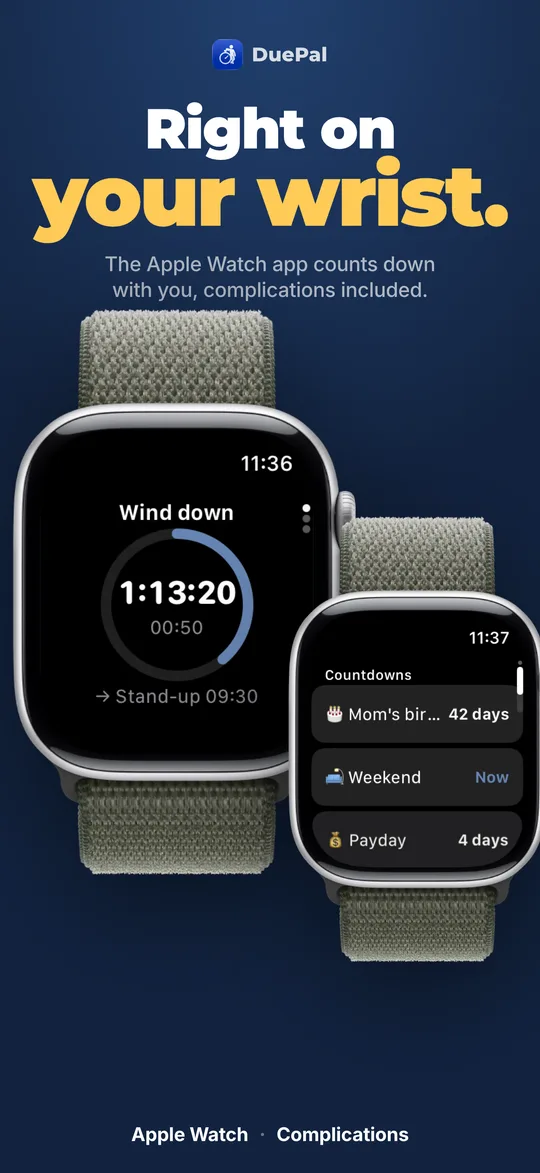
Picking up your iPhone to check the time is the easiest way to fall into a distraction loop. DuePal puts your next anchor countdown directly on your Apple Watch face so you feel transitions before they sneak up on you.
Frequently Asked Questions
Does DuePal include an Apple Watch app and watch face complications?
Yes. DuePal includes a dedicated Apple Watch app and watch face complications showing your current due and remaining time at a glance. The Apple Watch app and complications are unlocked with DuePal Premium.
Why does an Apple Watch countdown help with ADHD time blindness?
Checking your phone often turns into 15 minutes of scrolling notifications. A watch face complication shows only the remaining window to your next anchor, keeping transitions visible without pulling you into a screen.
Do my dues sync automatically between iPhone and Apple Watch?
Yes. Changes made on iPhone sync straight to your paired Apple Watch so your active workday schedule and countdowns stay aligned.